Making a Historical Short Film with AI: The Complete Huo Qubing Production Log
2,000 years ago, a 19-year-old general named Huo Qubing led 50,000 cavalry north across the Gobi Desert and performed the famous ritual at Wolf Juxu Mountain — the furthest any Han dynasty army had ever reached.
Today, we recreated that story with AI — 12 shots, 2 minutes 24 seconds, entirely AI-generated from script to final cut.
The Final Result
Watch the finished film first:
A complete vertical short film featuring:
- 12 AI-generated video clips (Kling O1 model)
- AI voiceover narration (deep male voice, documentary style)
- AI-composed original score (war drums + traditional Chinese instruments)
Designed for platforms like Douyin (TikTok China), Xiaohongshu, and Instagram Reels.
Step 1: Script Design
Good short films start with good scripts. We didn't jump straight into generation — we spent time crafting a 12-shot narrative structure first.
Three-Act Structure
| Act | Shots | Narrative Arc |
|---|---|---|
| Act I: The March | A–D | Imperial command → Departure → Army rides north |
| Act II: The Battle | E–H | Archery → Close combat → Pursuit → Looking back |
| Act III: The Legend | I–L | Mountain summit ritual → Army cheers → Lone rider at sunset → Epilogue |
The 12-Shot Breakdown
| Shot | Scene | Description | Mood |
|---|---|---|---|
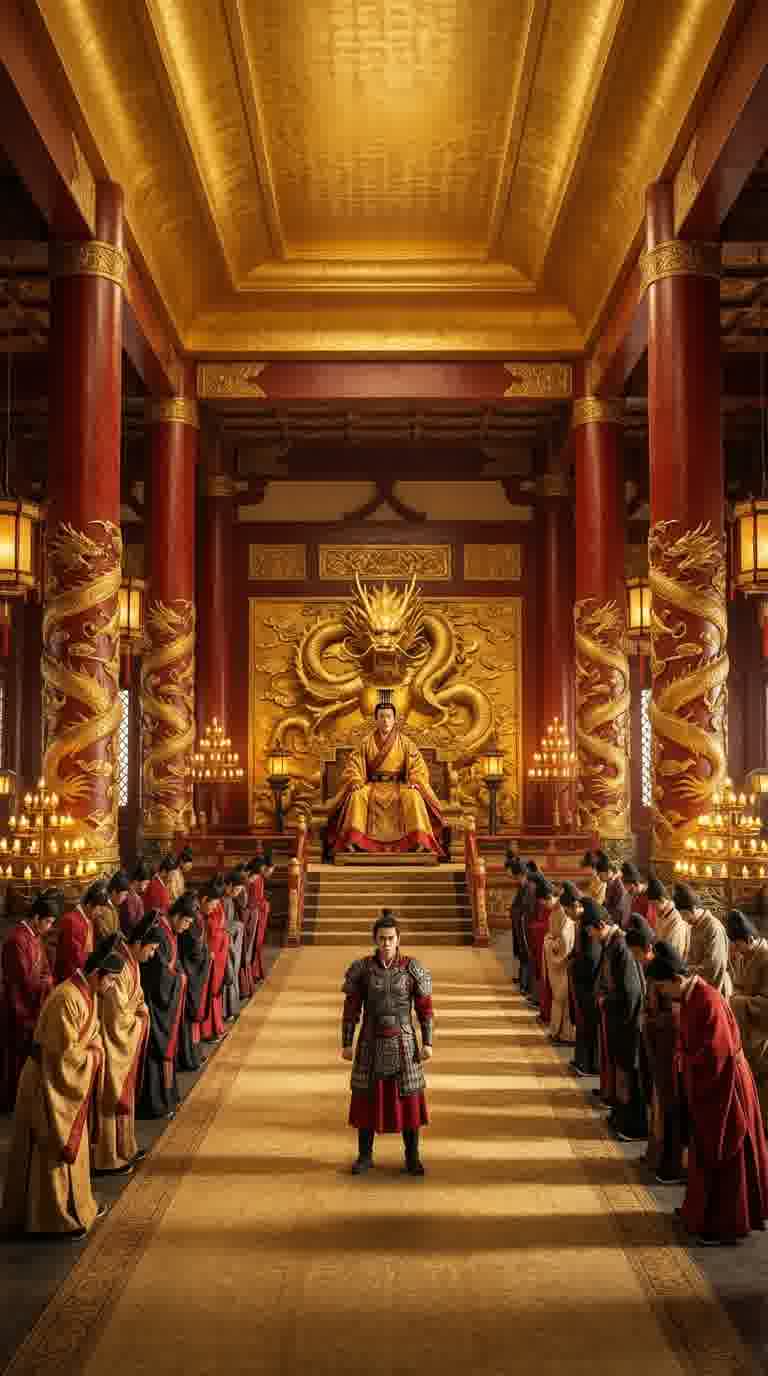
| A | Imperial Court | Emperor grants command, young general accepts | Solemn |
| B | Court Close-up | Huo Qubing salutes, eyes fixed northward | Determined |
| C | City Gate | Mounting horse outside Chang'an, cavalry in formation | Bold |
| D | Aerial Desert | 50,000 cavalry charging across the Gobi | Vast |
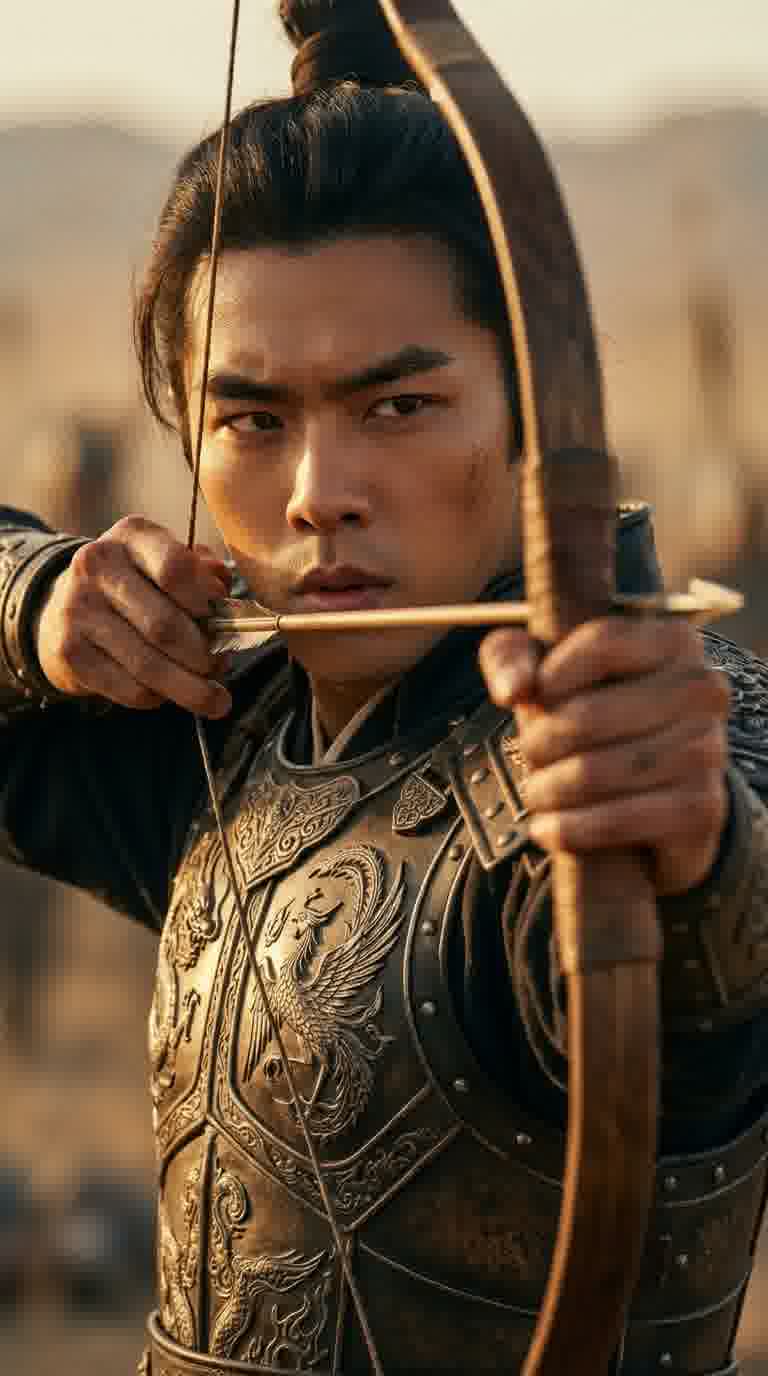
| E | Mountain Battle | Drawing bow, arrow flies like thunder | Tense |
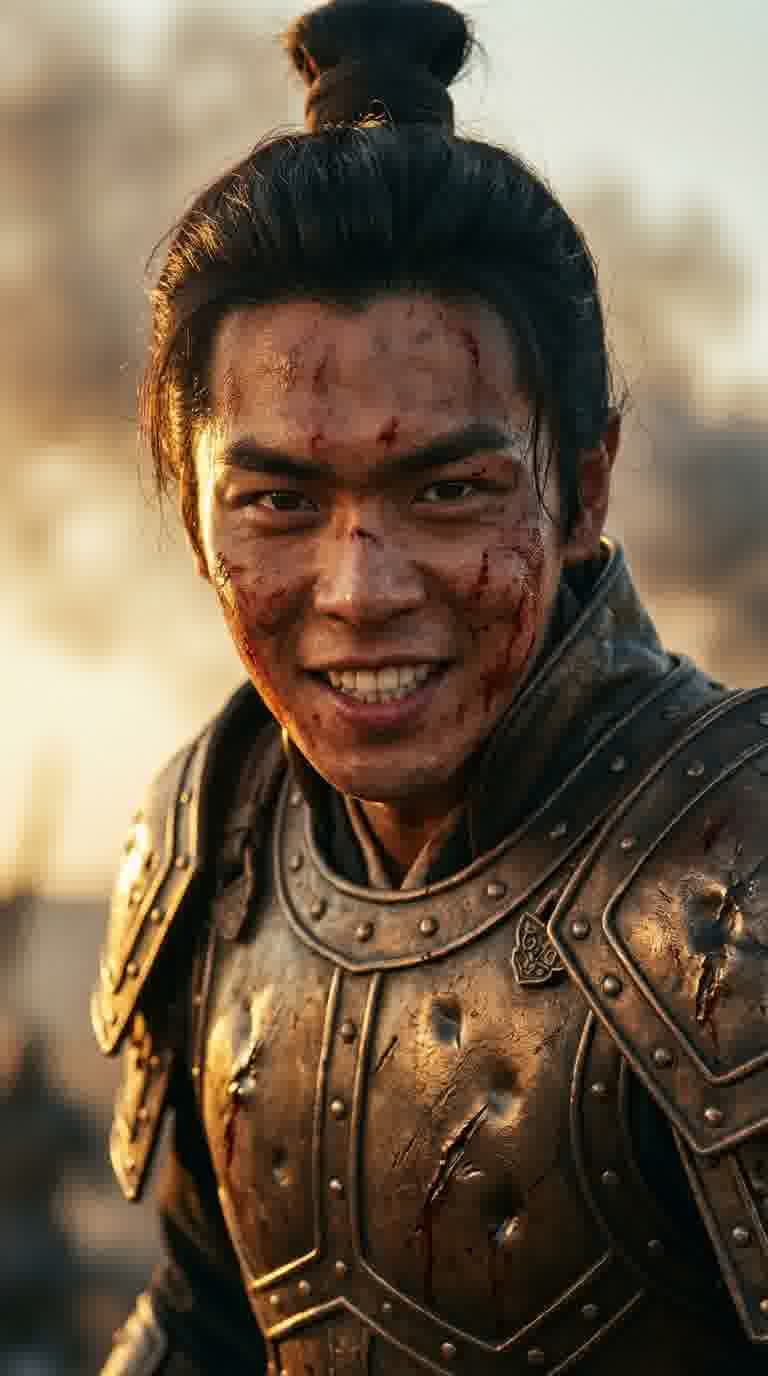
| F | Close Combat | Blood-stained armor, a smile on his face | Fierce |
| G | Sunset Pursuit | Solo rider chasing at sunset, red sky | Intense |
| H | Looking Back | Reining horse, surveying 2,000 li of conquest | Reflective |
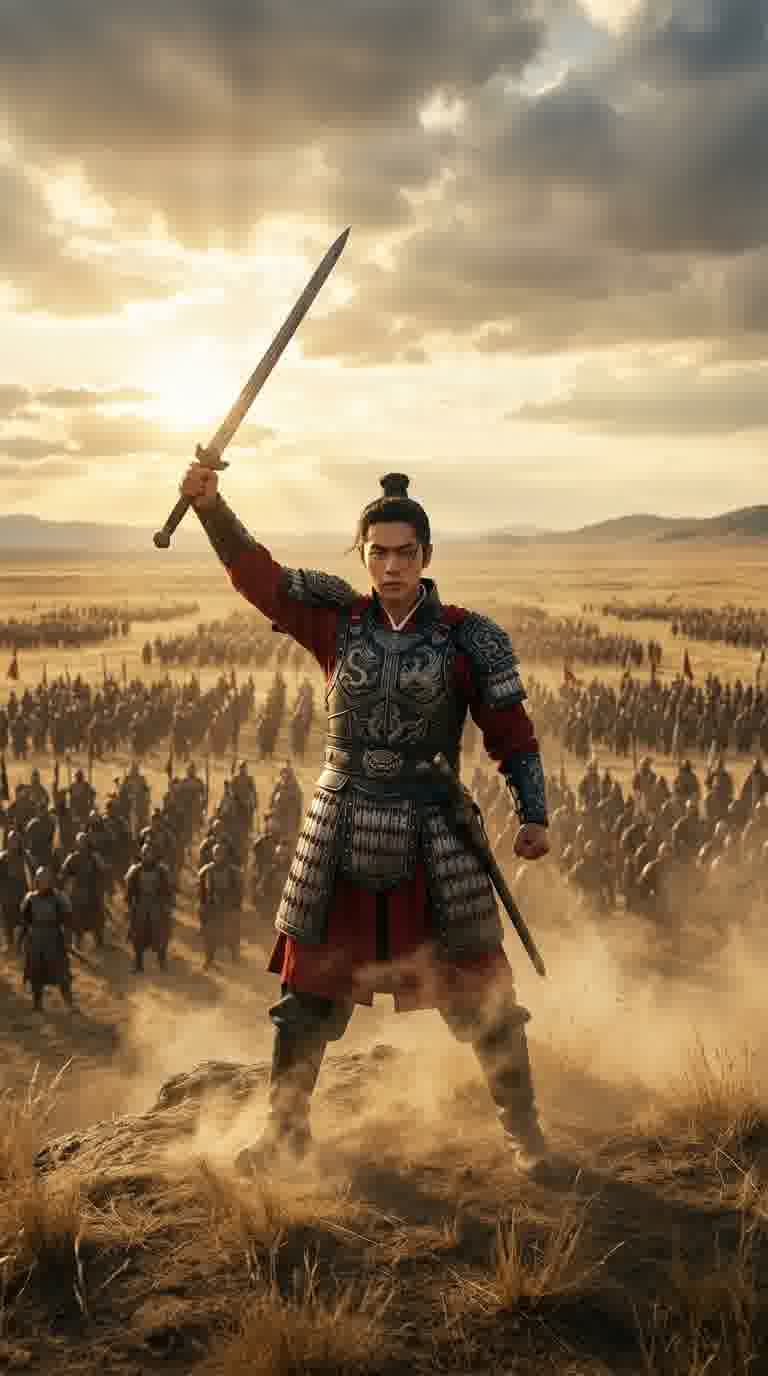
| I | Mountain Summit | Sword raised to sky, army kneeling below | Climax |
| J | Army Cheers | Ten thousand voices shake the steppe | Triumphant |
| K | Lone Rider Sunset | Silhouette against the setting sun | Melancholic |
| L | Epilogue | Young general looks up, freeze frame | Bittersweet |
Key Lesson: Emotional arc matters more than visual spectacle. Each shot serves the overall rhythm — from solemn to vast to tense to climactic to melancholic.
Step 2: Character Design
Character consistency is critical for historical films. We established Huo Qubing's look first, then maintained it across all 12 shots.
Character Specs
- Reference: Zhang Ruoyun's facial features (clean-cut, heroic)
- Age: 19 years old
- Costume: Black-gold Han dynasty battle armor, red cape
- Style: Photorealistic cinematic, not animation
We used Gemini 3 Pro (Nano Banana Pro) to generate character design sheets, then used these as reference for all subsequent keyframes.
Step 3: Keyframe Generation
For each of the 12 shots, we first generated a static keyframe image. Only after the composition was approved did we convert to video.

Prompt Example
For the climactic summit scene (Shot I):
Low-angle shot of a young Chinese general (19 years old, resembling Zhang Ruoyun)
standing triumphant on the summit of Wolf Juxu Mountain, drawing his sword pointed
skyward. Black-gold Han dynasty battle armor with flowing red cape.
Thousands of soldiers kneel in formation on the mountainside.
Golden hour sunlight, epic cinematic composition.

Negative: No god rays, no supernatural glow, no light beams, no lens flare.
Key Lessons:
- Negative prompts are essential — Shot I initially had unnatural "ghost rays" that were only fixed by explicitly excluding them
- Lock aspect ratio early — All keyframes were generated in 9:16 vertical format from the start
- Character description consistency — Every prompt included identical character descriptors
Step 4: Image-to-Video
After keyframe approval, each static image was converted to a 5-second video clip.
Model Selection
| Model | Credits/clip | Quality | Use Case |
|---|---|---|---|
| Kling O1 | 48 | ⭐⭐⭐⭐⭐ | Final version (quality first) |
| Wan 2.6 | 40 | ⭐⭐⭐⭐ | Initial test round |
We tested with Wan 2.6 first, then switched everything to Kling O1 for the final version. The facial detail and motion naturalness were noticeably better.
Cost Breakdown
| Item | Quantity | Unit Cost | Total |
|---|---|---|---|
| Kling O1 clips (final) | 12 | 48 credits | 576 |
| Wan 2.6 clips (test) | 12 | 40 credits | 480 |
| Remakes/fixes | ~8 | 48 credits | 384 |
| Video subtotal | ~1,440 credits |
Step 5: AI Voiceover
Narration is the soul of a historical short film. We generated 12 segments of narration using AI TTS.
Technical Setup
- Model: Gemini TTS (
gemini-2.5-flash-preview-tts), Orus voice - Style: Slow, deliberate, documentary gravitas
- Output: Raw PCM (s16le, 24kHz, mono) → converted to MP3 via ffmpeg
- Total duration: 144 seconds across 12 segments
Pitfall: We first tried seed-tts-1.1 for voice cloning, but its ref_audio_url parameter is silently ignored. Gemini TTS worked perfectly as the alternative.
Step 6: AI Music Score
Original score composed using DouBao BGM (ByteDance music generation).
Prompt Design
Ancient Chinese war epic soundtrack.
NO orchestra, NO strings, NO violin.
Use only: massive war drums (taiko), bronze bells, erhu,
guzheng, dizi flute, powerful male choir.
Fierce, aggressive, triumphant. 150 seconds.
We went through 3 iterations:
- v1: Orchestral — too Western, didn't match the period
- v2: Mixed — better but still had strings
- v3: Pure traditional instruments + war drums — perfect ✅
Cost: 30 credits × 3 iterations = 90 credits
Step 7: Final Assembly
The Slow-Motion Solution
Each AI video clip is only 5 seconds, but the corresponding narration is 10–14 seconds. Our solution:
Slow each clip to match its narration duration using ffmpeg's setpts filter. For a historical film, this actually enhanced the epic quality — slow motion adds gravitas.
Assembly Pipeline
# 1. Slow each clip to match narration
ffmpeg -i clip-A.mp4 -vf "setpts=2.43*PTS,scale=1080:1920" -an seg-A.mp4

# 2. Concatenate all 12 segments
ffmpeg -f concat -i concat-list.txt -c copy video.mp4

# 3. Mix narration + BGM (BGM at 20% volume)
ffmpeg -i narration.mp3 -i bgm.mp3 \
  -filter_complex "[1:a]volume=0.2[bgm];[0:a][bgm]amix=inputs=2" mixed.mp3

# 4. Combine video + audio
ffmpeg -i video.mp4 -i mixed.mp3 -c:v copy -c:a aac -shortest final.mp4
Total Cost
Generation Cost (IMA Credits)
| Item | Tool | Credits | ~USD |
|---|---|---|---|
| Keyframe images | Nano Banana Pro | ~200 | $2 |
| Video generation | Kling O1 + Wan 2.6 | ~1,440 | $14 |
| Voiceover | Gemini TTS | Free | $0 |
| Music score | DouBao BGM × 3 versions | 90 | $1 |
| Generation subtotal | ~1,730 | ~$17 |
AI Conversation Cost (LLM Tokens)
| Item | Description | Est. Cost |
|---|---|---|
| Script writing & iteration | 12-shot breakdown, narrative arc, two revision rounds | $2-3 |
| Prompt engineering | Generation prompts for 12 shots, character descriptions | $1-2 |
| Feedback & adjustments | Multi-round approvals, visual fixes, music style iteration | $2-4 |
| Conversation subtotal | ~$5-9 |
Grand Total
| Category | Cost |
|---|---|
| Generation (images + video + music) | ~$17 |
| AI conversation (script + prompts + feedback) | ~$7 |
| Total | Under $25 |
Traditional production of a comparable historical short — actors, costumes, locations, crew — would cost tens of thousands of dollars minimum. One person + AI, under $25, half a day.
Lessons Learned
What Worked
- Script first — The 12-shot narrative arc was locked before any generation began
- Keyframes before video — Approving static images first saved hundreds of credits in video generation
- Model tiering — Test with cheaper models, finalize with premium
- Negative prompts — Telling AI what NOT to do is as important as telling it what to do
- Slow motion = epic — Slowing 5s clips to 12s actually enhanced the historical gravitas
What We'd Do Differently
- Character consistency — Still the hardest problem; faces varied slightly across shots
- Model selection earlier — We should have committed to Kling O1 from the start instead of testing with Wan 2.6 first
- Music iteration — Should have specified "no Western instruments" from the first prompt
Tools Used
| Purpose | Tool | Via Ima Claw |
|---|---|---|
| Keyframe generation | Gemini 3 Pro Image | ✅ |
| Video generation | Kling O1 / Wan 2.6 | ✅ |
| Voiceover | Gemini TTS | ✅ |
| Music score | DouBao BGM | ✅ |
| Video editing | ffmpeg | ✅ (CLI) |
All tools accessible through Ima Claw — no separate accounts or API keys needed.
A coffee break to write the script. Half a day to generate the footage. One ffmpeg command to assemble the final cut. A 2,000-year-old legend, brought back to life by AI. 🐎