How to Create a Professional 30-Second Ad with AI for Under $5
Traditional video ad production costs $5,000–$50,000. We made one for $4.14.
Watch the final result first — 30 seconds, 414 credits, zero human filming:
This is a complete walkthrough of how we used Ima Claw to produce this sportswear ad — from the initial brief to the final cut with music. Every decision, every prompt, every cost is documented.
The Brief
Product: An amphibious athletic wear line — works in water, dries fast on land, looks good at a coffee shop.
Goal: A 30-second ad for social media (TikTok, Instagram Reels, Xiaohongshu) that communicates four selling points:
- Works underwater without drag
- Dries almost instantly on land
- Transitions seamlessly from sport to casual
- Represents a lifestyle, not just a product
Budget: Under 500 credits ($5).
Step 1: Strategy Before Pixels
The biggest mistake in AI video production is jumping straight to generation. Before writing a single prompt, we answered three questions:
- What pain point does this solve? Traditional sportswear locks you into one context. Swimwear at a café looks ridiculous.
- What's the differentiator? One garment, every scenario — water to land to lifestyle.
- What should viewers remember? Not "athletic wear" — but "freedom."
This gave us a core formula:
Selling point = Pain point + Solution + Emotional value
Step 2: Storyboard & Emotion Curve
We designed six scenes for 30 seconds, each with a specific job:
| Scene | Duration | Purpose | Emotion |
|---|---|---|---|
| 1. Beach run at sunrise | 5s | Hook attention | High energy |
| 2. Underwater swim | 5s | Core feature: water performance | Mysterious, free |
| 3. Emerging from water | 5s | Transition moment | Powerful |
| 4. Quick-dry close-up | 5s | Core feature: speed-dry tech | Surprising |
| 5. Coffee shop | 5s | Lifestyle versatility | Warm, relatable |
| 6. Sunset run | 5s | Brand elevation | Transcendent |
The emotion curve matters more than fancy camera work:
High → Medium → Medium-High → Low → Peak
Here's what each scene looks like in the final cut:
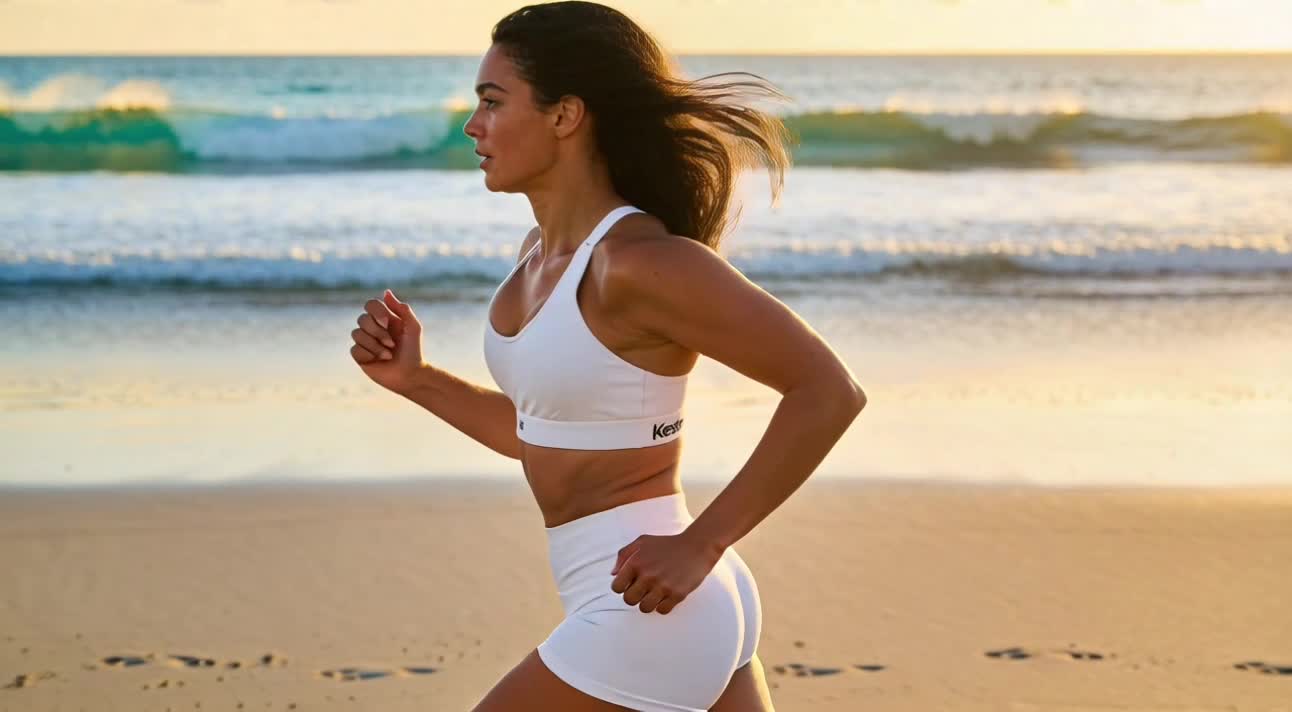 Scene 1: Beach run at sunrise — Dolly In + Low Angle
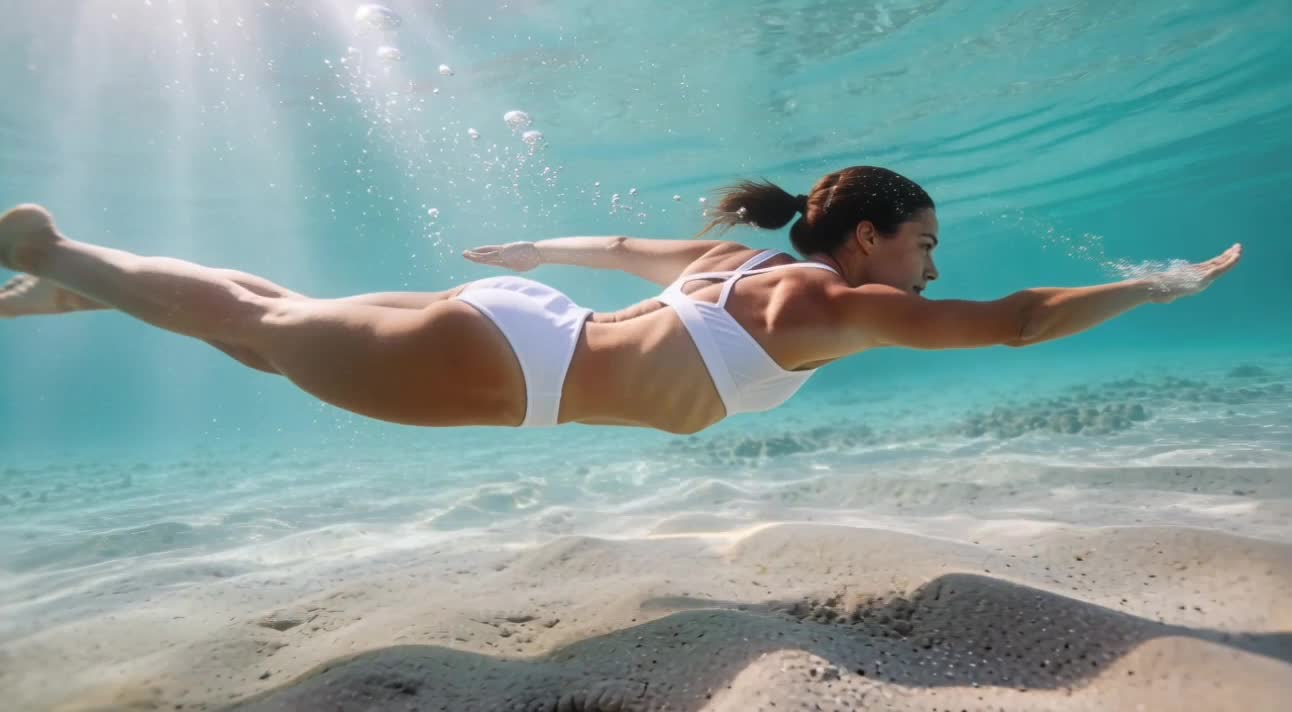 Scene 2: Underwater swim — the hero shot, showcasing zero-drag fabric
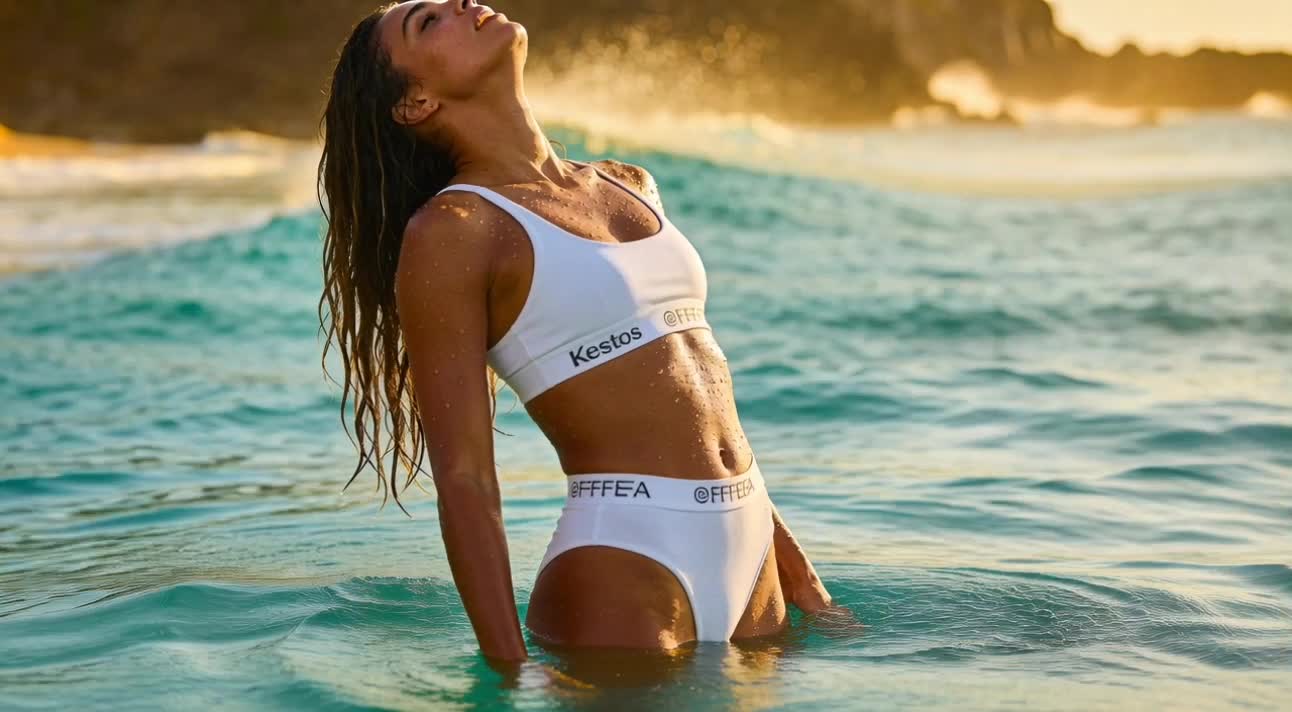 Scene 3: Emerging from water — Crane Up captures the transition moment
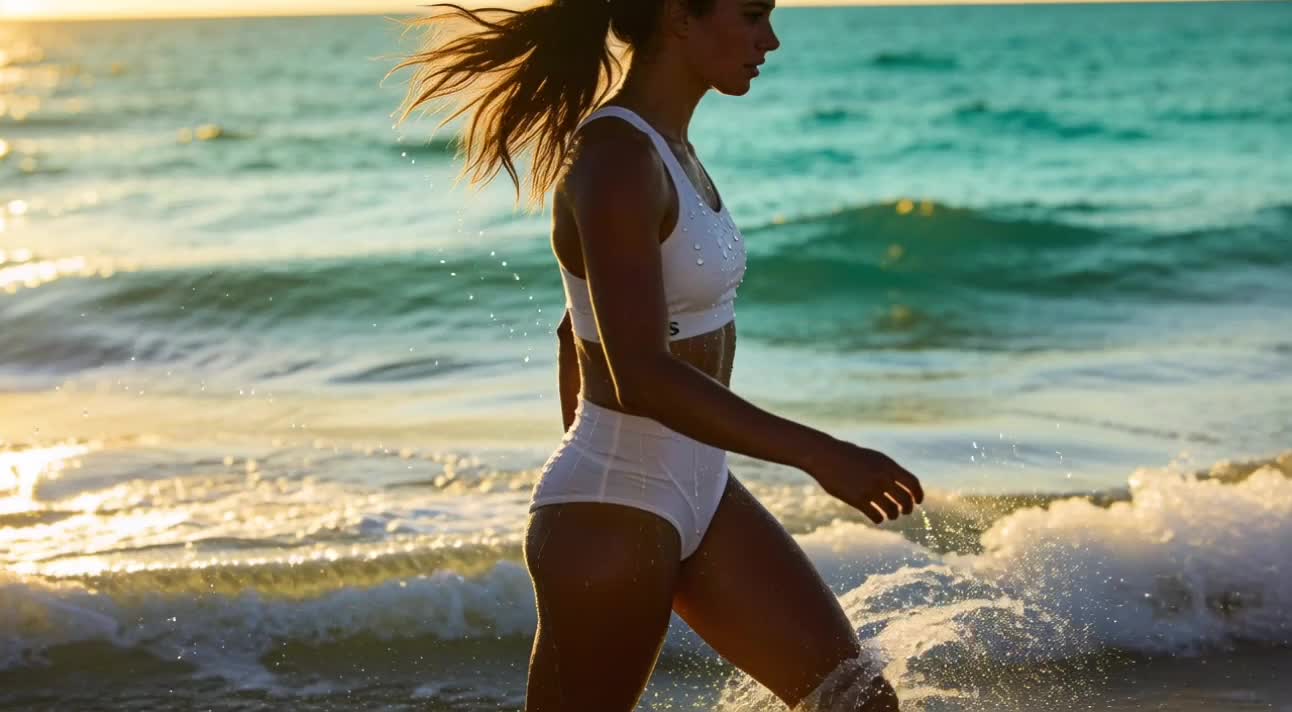 Scene 4: Speed-dry technology in action — water droplets rolling off
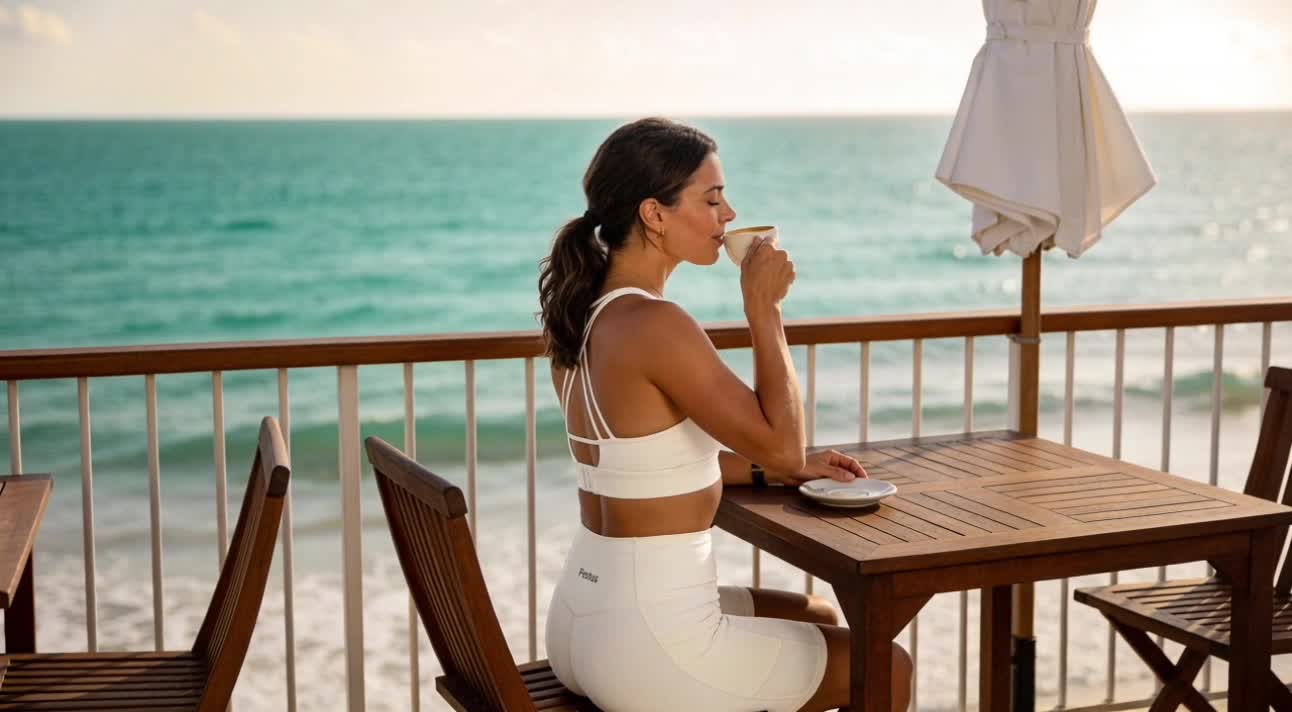 Scene 5: Coffee shop — proving it works beyond the beach
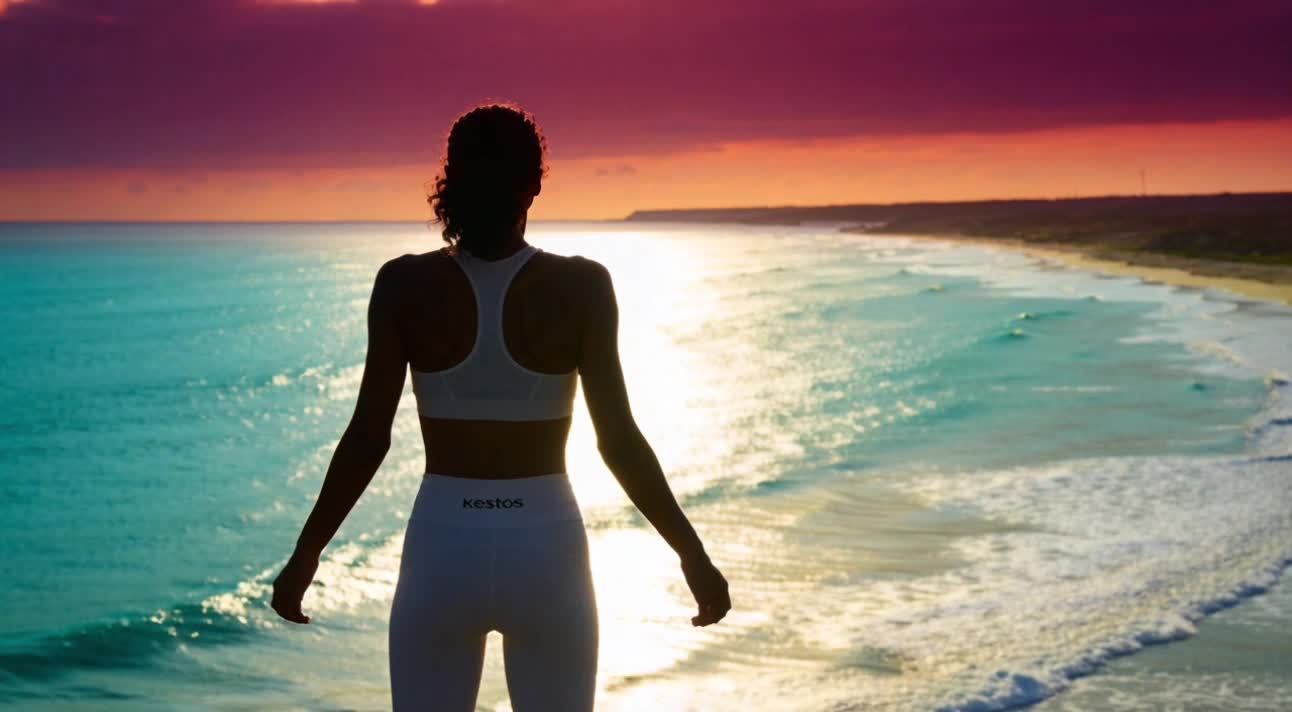 Scene 6: Sunset elevation — from product to lifestyle
Scene 5 (coffee shop) is intentionally calm — it lets the viewer breathe before the emotional peak in Scene 6. Without contrast, there's no climax.
Step 3: Camera Movement Selection
Each scene got a specific camera technique chosen for storytelling, not for showing off:
- Scene 1: Dolly In + Low Angle → pulls the viewer in, creates hero feeling
- Scene 2: Underwater + Slow Motion → showcases fabric performance, adds mystery
- Scene 3: Crane Up + Hero Cam → follows the emergence, triumphant
- Scene 4: Rack Focus + Close-up → guides eye from water droplets to comfort
- Scene 5: Slider Shot + Soft Focus → smooth, warm, lifestyle feel
- Scene 6: Aerial Pullback + Golden Hour → from individual to epic landscape
Rule: If a camera technique doesn't serve the story, don't use it. We skipped Bullet Time, 360° Orbit, and YoYo Zoom — they'd be distracting.
Step 4: The 7-Element Prompt Method
Bad prompts waste credits. We developed a 7-element framework:
- Camera type — underwater cinematography, slow motion
- Subject — athletic person in performance swimwear
- Action — swimming upward gracefully
- Environment & lighting — clear turquoise water, volumetric light rays
- Visual texture — cinematic quality, high contrast
- Mood — serene yet powerful, freedom
- Technical specs — professional color grading, 4K quality
Here's our actual prompt for the underwater scene:
Cinematic underwater shot with slow motion effect,
professional swimmer in sleek athletic wear gliding
upward towards the surface, fabric clings to body
showing zero drag and perfect fit, clear turquoise
water with volumetric light rays penetrating from above,
air bubbles trailing behind creating dynamic visual interest,
shot from slightly below looking up at 45-degree angle,
vibrant underwater cinematography with high contrast,
serene yet powerful atmosphere conveying freedom and fluidity,
professional color grading with teal and gold tones,
4K quality cinematic composition
First attempt: The swimmer went downward instead of up. We added "upward motion towards surface" and nailed it on try two.
Step 5: Model Selection Strategy
Not every scene needs the most expensive model:
| Scene | Model | Cost | Why |
|---|---|---|---|
| 1. Beach run | Kling O1 | ~64 pts | Complex camera movement |
| 2. Underwater | Kling O1 | ~128 pts (2 tries) | Core selling point — no compromise |
| 3. Emerging | Kling O1 | ~64 pts | Dynamic water effects |
| 4. Quick-dry | Kling O1 | ~64 pts | Core selling point — no compromise |
| 5. Coffee shop | Wan 2.6 | ~25 pts | Simple indoor scene |
| 6. Sunset | Kling O1 | ~64 pts | Brand moment — must be epic |
| Video total | ~384 pts |
The rule: Never downgrade core selling point scenes. Scene 2 and Scene 4 are where the product shines — they get the best model, period.
Step 6: Music & Audio
We used Doubao BGM (30 pts) for a custom instrumental track:
Uplifting instrumental track for sportswear advertisement,
starting with energetic electronic beats and piano (0-10s),
transitioning to calm ambient sounds with soft synthesizers (10-20s),
ending with inspiring crescendo and orchestral elements (20-30s).
Modern, freedom, vitality, lifestyle brand aesthetic.
120 BPM, no vocals, cinematic production quality.
Music syncs to story beats:
- 0s: Beat drop = beach run starts
- 5s: Rhythm shift = dive underwater
- 15s: Music softens = coffee shop
- 25s: Crescendo = sunset run climax
Step 7: Assembly
Six clips + one music track → ffmpeg → done in 9 seconds:
ffmpeg -f concat -safe 0 -i filelist.txt -c copy output.mp4
ffmpeg -i video.mp4 -i music.wav -c:v copy -c:a aac final.mp4
No fancy editing software needed. The scenes were designed to flow naturally — no transitions required.
Final Cost Breakdown
| Item | Cost |
|---|---|
| 6 video scenes | 384 credits |
| Background music | 30 credits |
| Total | 414 credits (~$4.14) |
At $0.01 per credit, the entire professional-quality 30-second ad cost less than a coffee.
What We Learned
1. Strategy beats execution. The 2 hours spent planning saved us from wasting credits on aimless generation.
2. Prompt detail = success rate. Our Scene 2 failure (swimmer going wrong direction) cost 64 credits. Five more minutes on the prompt would have saved it.
3. Emotion curve > technical showmanship. The quiet coffee shop scene (Scene 5) makes the sunset climax (Scene 6) hit harder. Contrast creates impact.
4. Don't cheap out on hero scenes. We spent 62% of our budget on Scenes 2, 4, and 6. They're the scenes people remember.
5. First try won't be perfect — and that's fine. Budget for 1-2 retries on complex scenes. AI generation is iterative, not magical.
Try It Yourself
Every tool used in this tutorial is available in Ima Claw out of the box:
- Video: Kling O1, Wan 2.6, Seedance, Veo 3.1, Sora 2 Pro
- Music: Suno sonic v5, Doubao BGM, Doubao Song
- Editing: Smart Editing (auto-stitching, transitions, music sync)
No API keys to configure. No separate subscriptions. Just describe what you want and create.
Ready to make your first AI ad?